
PgEvidence
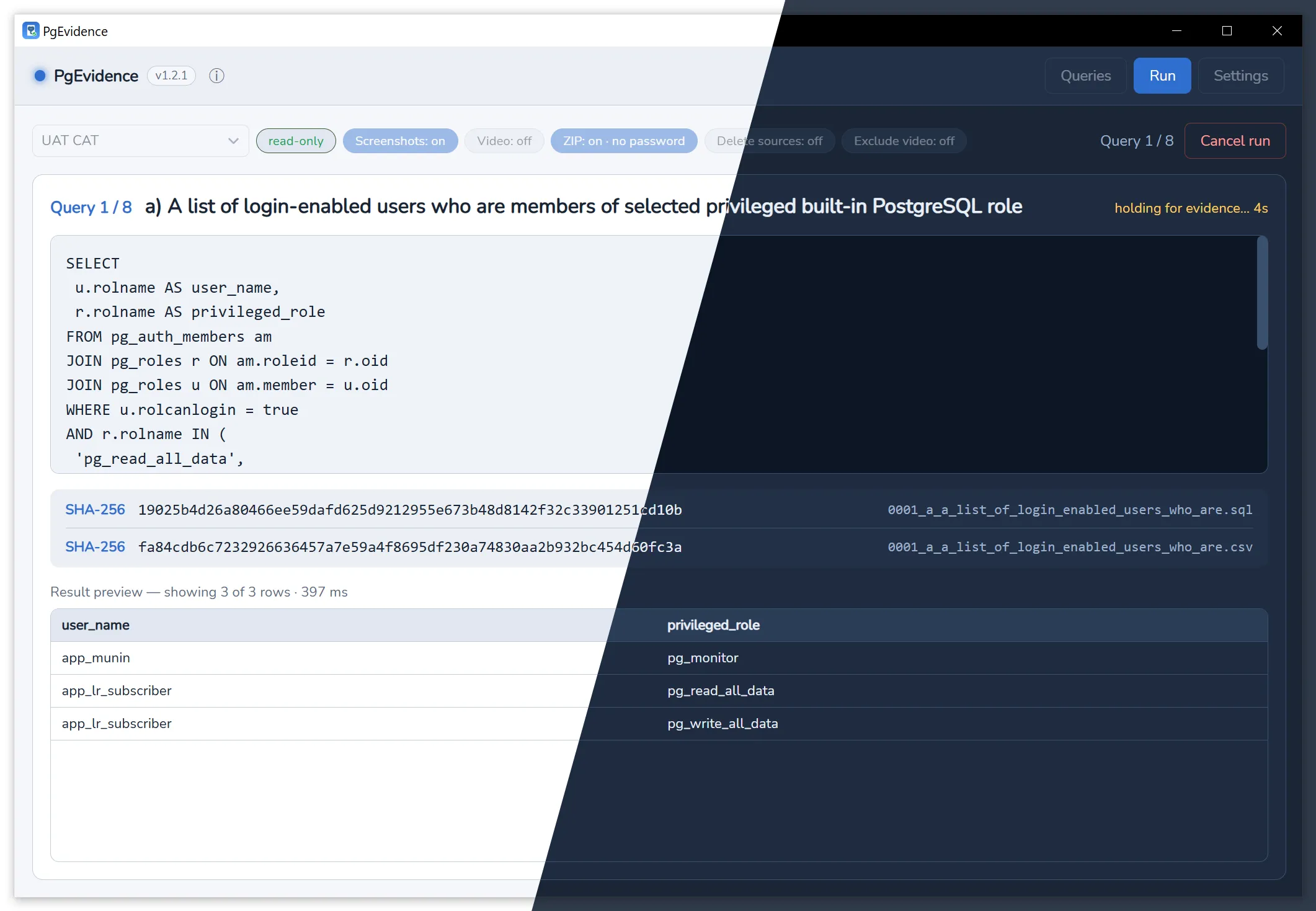
PgEvidence runs a set of read-only SQL queries against PostgreSQL one by one. It takes a screenshot of each result as it appears on screen (with the OS clock in frame) and/or records a video of the whole process. Alongside, it saves each result as CSV with a checksum, so you end up with a set of files you can hand to an auditor.
Highlights
- Excutes SQL queries, generates and stores results in one go
- Creates fullscreen screenshots and/or video recording from the process
- Creates
sha256sumhash for result files - Import/Export SQL queries. Import from plain text.
- System aware light and dark theme
Results
Each run creates a timestamped folder audit-run-YYYYMMDD-HHmmSS, then locate result files within it.
For each query identified by NNNN_<slug>, the program creates following result files:
NNNN_<slug>.png— full-screen screenshot of the result, including the OS clock (optional)NNNN_<slug>.csv— the result rows in csv formatNNNN_<slug>.csv.sha256— SHA-256 checksum of the CSV (sha256sumformat)NNNN_<slug>.sql— the query textNNNN_<slug>.sql.sha256— SHA-256 checksum of the query (sha256sumformat)
In addition to them:
run.mp4— screen recording of the whole run (optional)manifest.json- run summarymanifest.json.sha256— checksum of the file above (sha256sumformat)<run>.zip(+.zip.pwd) — archive of everything above (optional)
Example
audit-run-20260625-153000/ 0001_active_users.sql # the query text 0001_active_users.sql.sha256 # checksum over the query text 0001_active_users.csv 0001_active_users.csv.sha256 0001_active_users.png # full-screen screenshot (incl. OS clock) 0002_orders_last_month.sql 0002_orders_last_month.sql.sha256 0002_orders_last_month.csv 0002_orders_last_month.csv.sha256 0002_orders_last_month.png manifest.json # queries, files, checksums, timings, versions manifest.json.sha256 # checksum over manifest.json run.mp4 # recorded full screen desktop audit-run-20260625-153000.zip # archive of the above (if archiving is enabled) audit-run-20260625-153000.zip.pwd # generated password (auto mode only)See Installation and Usage.