
Comment fields
In PostgreSQL a role comment lives as plain text. But we can store an JSON formatted string there. Comment fields defines the form that helps editing json content.
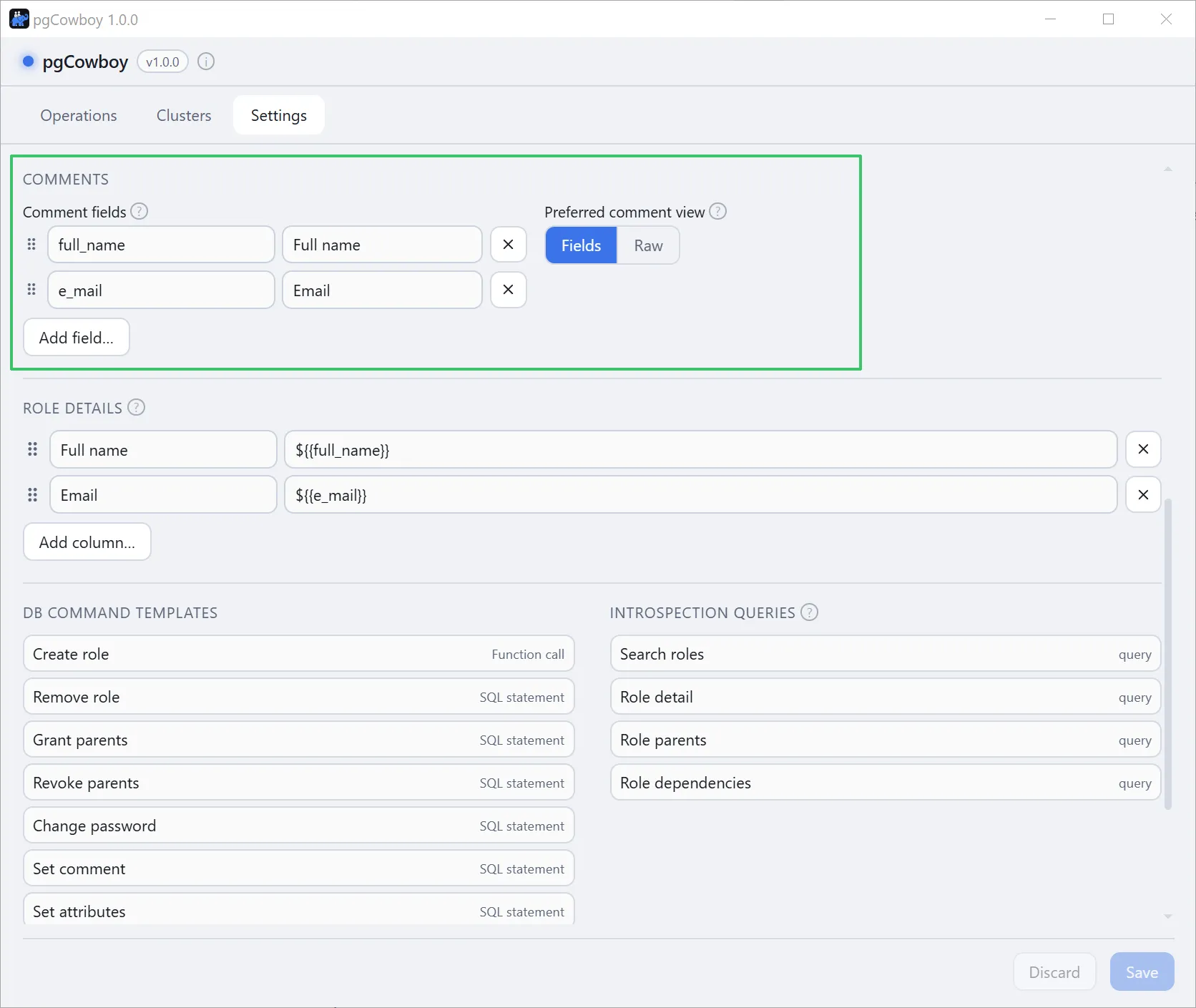
The field list
The list starts empty — which keys a role comment carries is your convention, not something the app can guess — and it may be emptied again at any time. Each entry is a key (the JSON key, a bare identifier) and a label (what the form shows). Drag the handle to reorder; removes an entry; Add field… appends one.
Rules:
- Configured fields found in the comment always render, even when the key is absent from the comment.
- Keys not found in the comments but missing from the list still render, labelled by their raw key.
- Values that aren’t strings (number, boolean, array, object) render read-only, so their type survives a round trip. Edit them in the Raw view.
- Leaving the label blank falls back to the key.
Preferred comment view
Sets which mode the comment editor opens in — Fields or Raw — in the role form and in the Comments dialog alike. It defaults to Raw.
See Altering the comment for the editor itself.
Where else these keys appear
Beyond the role form, a comment key can be shown in the role search results — see Role Details.