
Command log
Results don’t appear in the form. They go to the status chip in the footer, next to the action buttons.
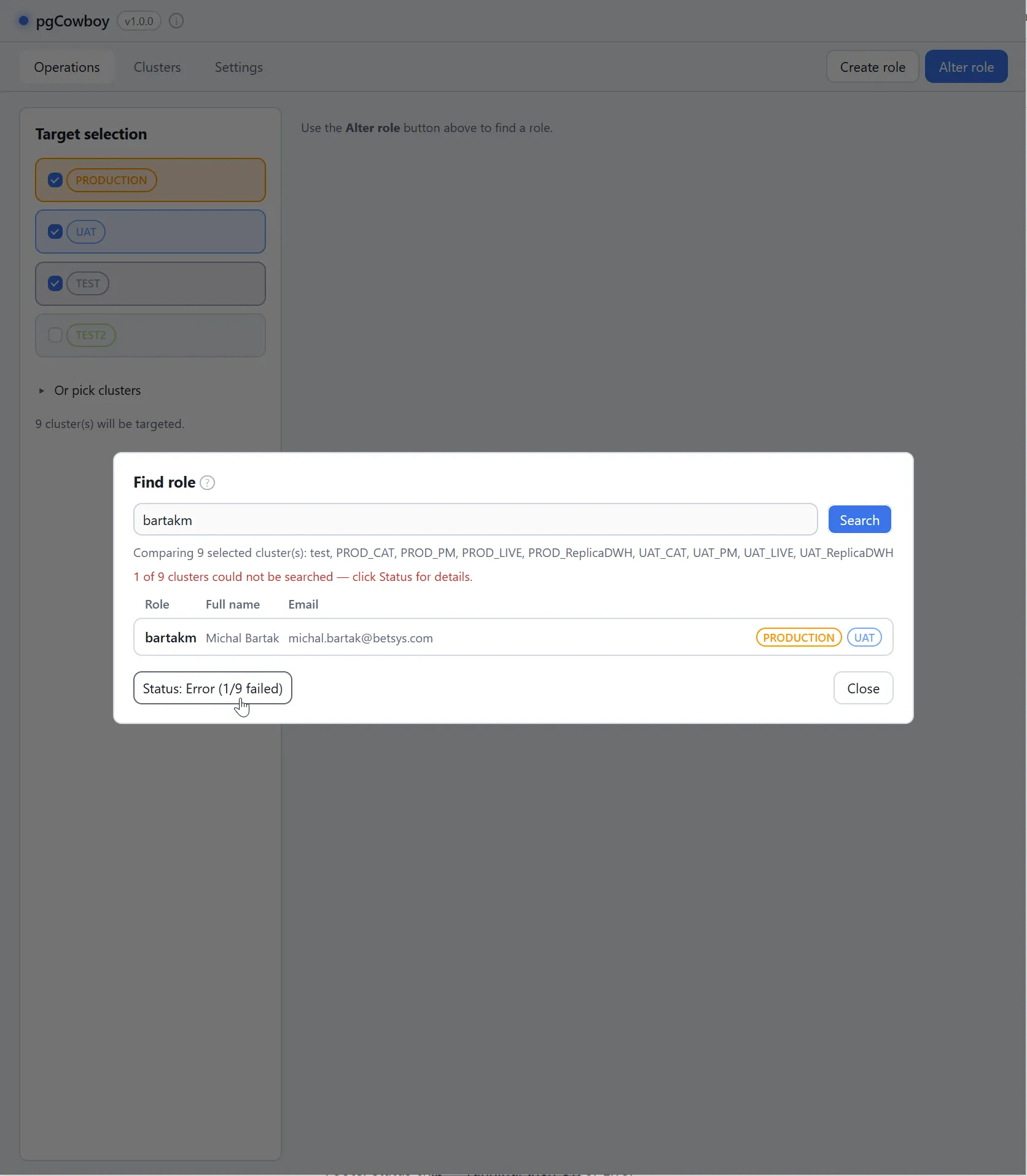
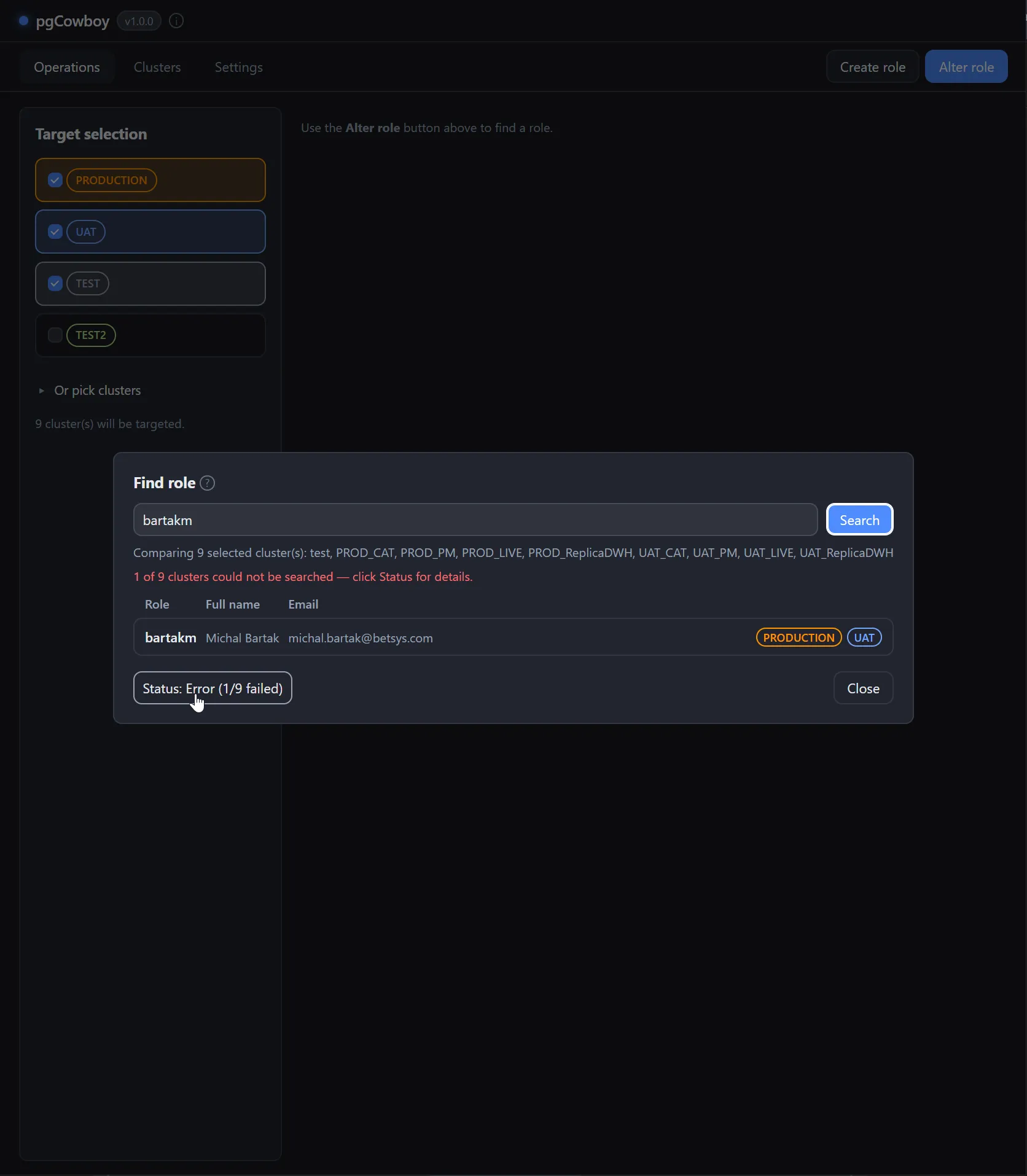
The chip is hidden until something runs, then shows running… (done/total) and settles on OK or Error. It updates live, one step per cluster.
Per-cluster results
Click the chip to open the results panel. It fills in while the run is still going.
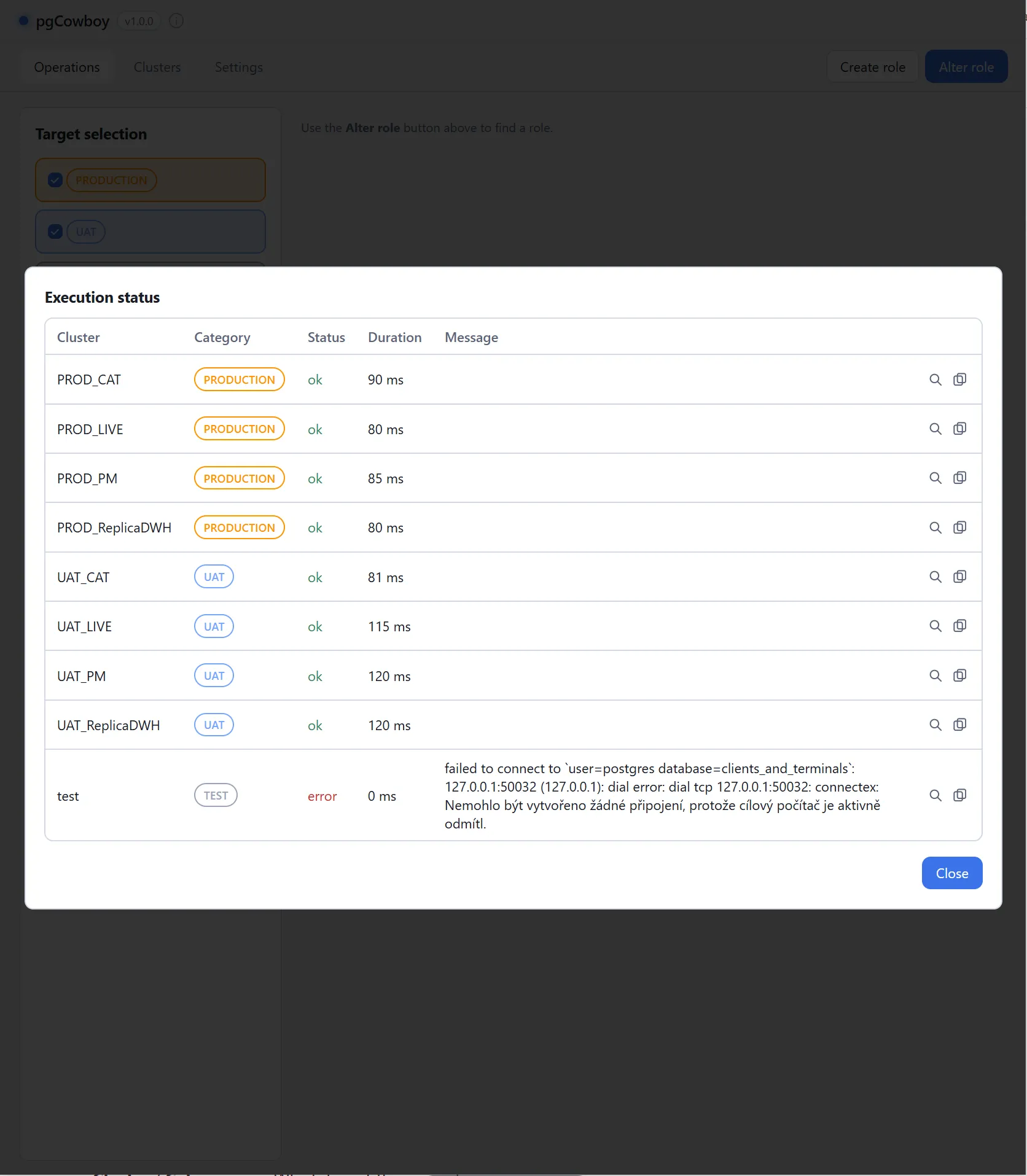
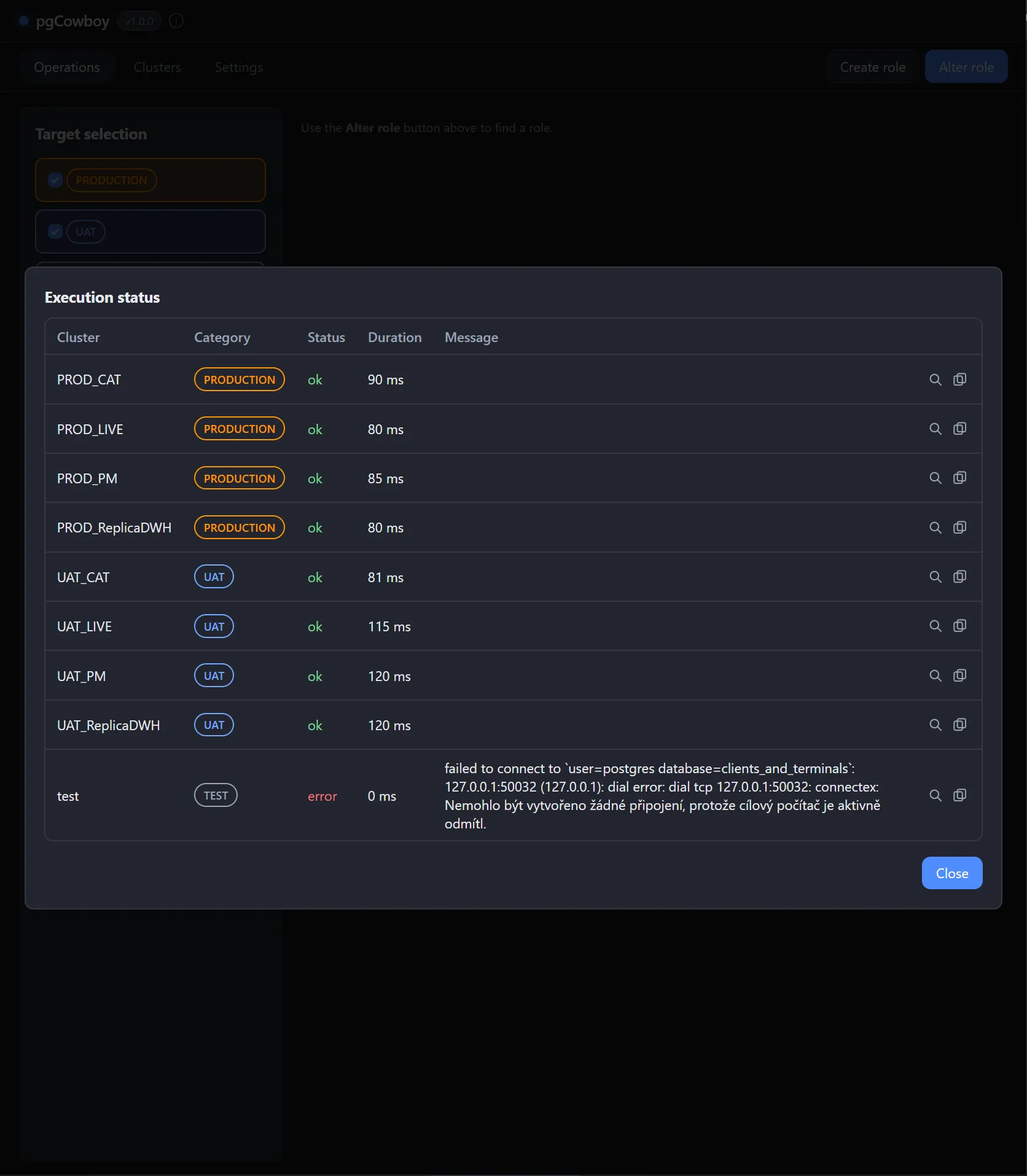
| Column | Notes |
|---|---|
| Cluster / Group | Which target the row is for. |
| Status | Per cluster. One failure doesn’t hide the others’ success. |
| Duration | How long that cluster took. |
| Message | The error text, naming the operation that failed. |
Each row has two actions:
| Button | Effect |
|---|---|
| View | Opens the SQL that ran on that cluster. |
| Copy | Puts the cluster’s message and all of its SQL on the clipboard. |
The SQL that ran
The view button opens the statements the app sent to that cluster, in order.
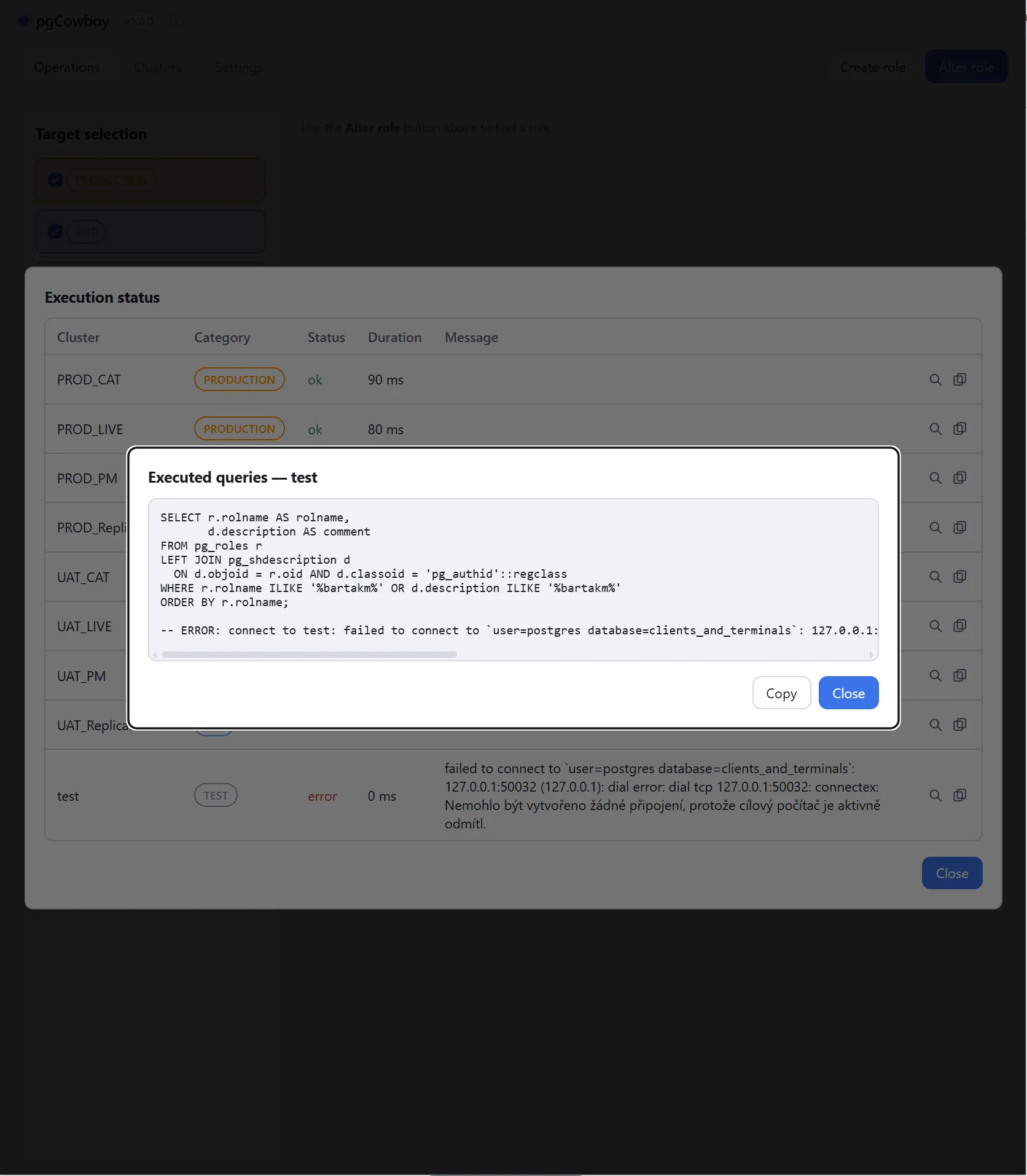
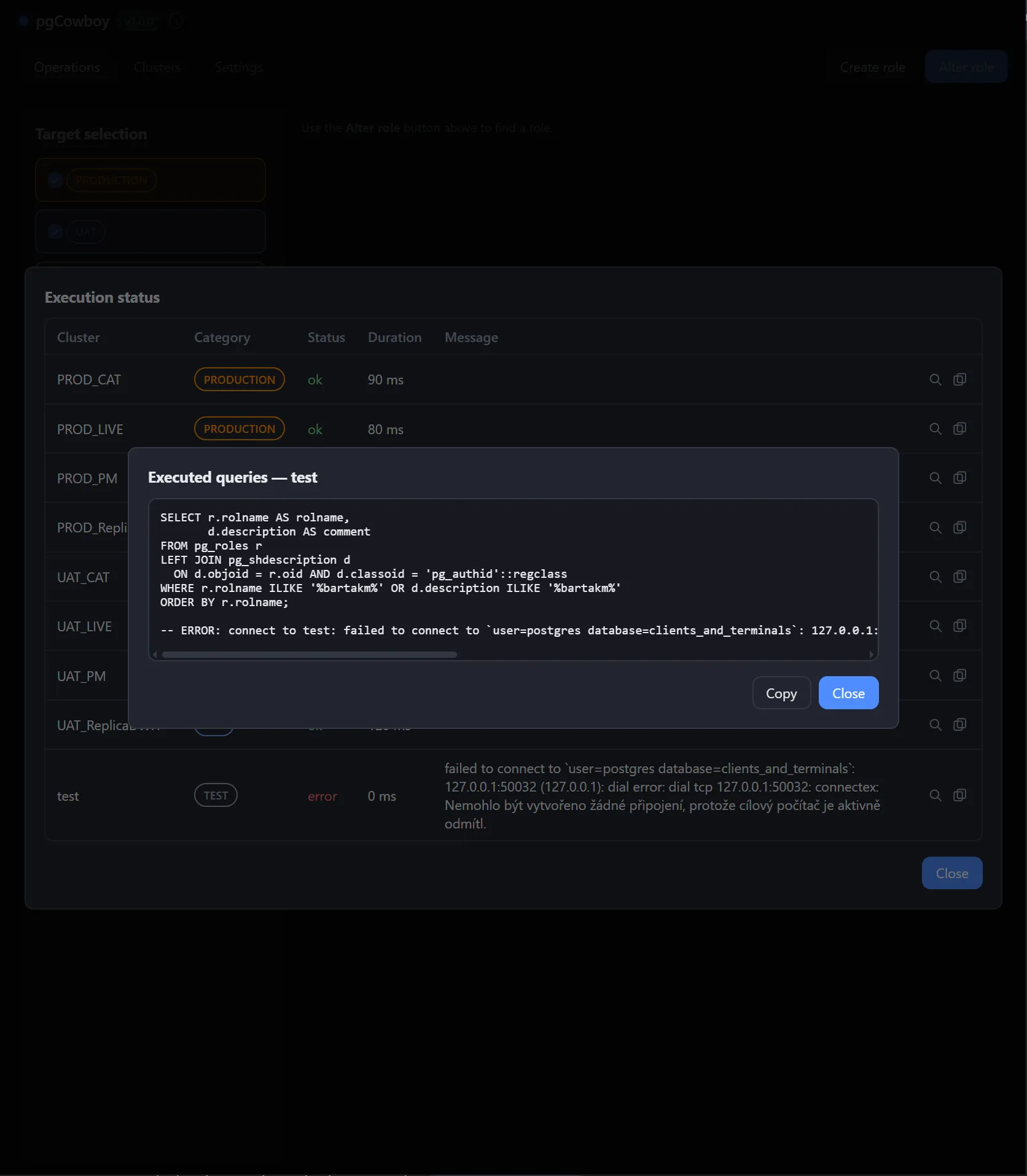
- The SQL is the real thing, after placeholder substitution — including a failing statement’s, which is recorded before the error.
- Function-mode bind values are inlined so the statement reads as executed.
- Role-load rows show the introspection queries instead.
- Passwords are not included.